No description
| .github/workflows | ||
| cores | ||
| github | ||
| other/DinguxCommander | ||
| skeleton | ||
| src | ||
| toolchain | ||
| .gitignore | ||
| commits.sh | ||
| makefile | ||
| notes.txt | ||
| README.md | ||
| start-toolchain.sh | ||
| todo.txt | ||

FinUI
FinUI is a fork of MinUI. MinUI is a focused custom launcher for the Anbernic RG35XX. FinUI adds additional features on top of MinUI.
Features
MinUI features
- Simple launcher, simple SD card
- No settings or configuration
- No boxart, themes, or distractions
- Automatically hides extension and region/version cruft in display names
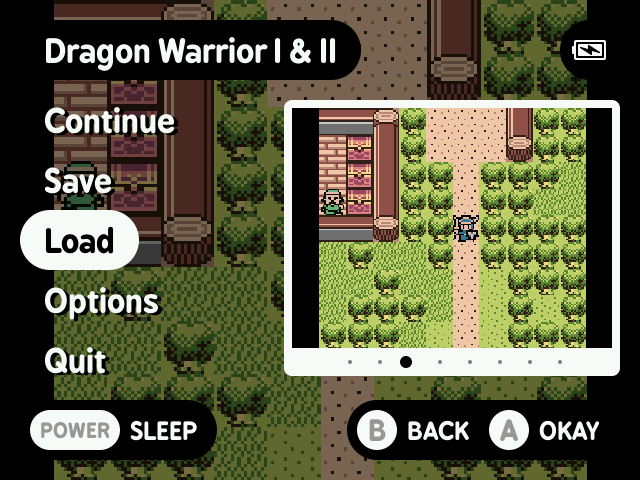
- Consistent in-emulator menu with quick access to save states, disc changing, and emulator options
- Automatically sleeps after 30 seconds or press POWER to sleep (and wake)
- Automatically powers off while asleep after two minutes or hold POWER for one second
- Automatically resumes right where you left off if powered off while in-game, manually or while asleep
- Resume from manually created, last used save state by pressing X in the launcher instead of A
- Streamlined emulator frontend (minarch + libretro cores)
Additional FinUI features
- Add to Favorites
- Clear "Recently Played"
- Adjustment of battery readings
- Base and extras are now all included in one full release
- Includes native installation instructions using macOS
- Developer experience improvements
Development
Prerequisites
Build project
Run ./start-toolchain.sh and then make all in the Docker container shell.
TODO
- Adjust overclocking and CPU usage (to maximize battery life)
- Improve battery capacity reading accuracy
- Show battery percentage number overlay
- ...things in the old todo?...
Disclaimer
This software is provided without warranty of any kind. In no event shall the authors or contributors be liable for any claim, damages, or other liability, arising from, out of, or in connection with this software, the use of this software, or other dealings with this software.
Use at your own risk.